
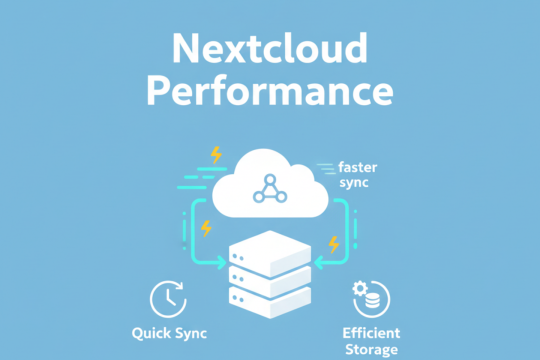
How to Optimize Nextcloud Performance on AVIOX Cloud for Faster Sync & Storage
Nextcloud is one of the most powerful self-hosted cloud storage and collaboration platforms available today, and when deployed on AVIOX Cloud, it becomes even more flexible, secure, and scalable. However, as your files, users, and applications grow, performance optimization becomes critical to ensure smooth syncing, fast loading times, and stable operation.

How to Enable HTTP/2 on AVIOX Cloud Servers for Faster Website Loading
Enabling HTTP/2 on your AVIOX Cloud server is one of the simplest ways to significantly improve your website’s loading speed, efficiency, and overall user experience. HTTP/2 is a major upgrade over HTTP/1.1, offering multiplexing, header compression, and enhanced parallelism—features that allow browsers to download multiple resources simultaneously without delay.
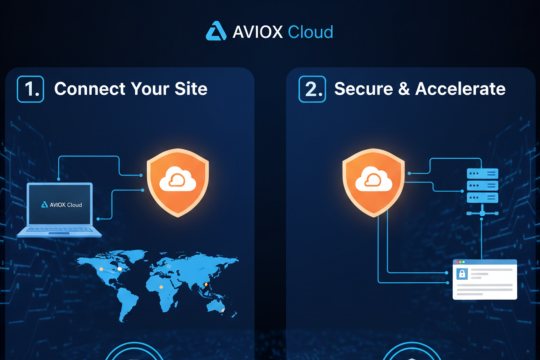
Step-by-Step Cloudflare Setup Guide for AVIOX Cloud Websites
Cloudflare is one of the most powerful tools you can integrate with your AVIOX Cloud website. It enhances security, improves speed, protects against DDoS attacks, and optimizes global performance through an intelligent CDN network. Whether you're running a WordPress site, a SaaS application, or a custom-built platform, connecting Cloudflare provides instant benefits with minimal configuration.

How to Run Auto-SSL Manually on Your AVIOX Cloud Webspace
Auto-SSL is one of the most essential features for any website hosted on AVIOX Cloud. It automatically installs free SSL certificates, secures your domain, and ensures your website is accessible through HTTPS.
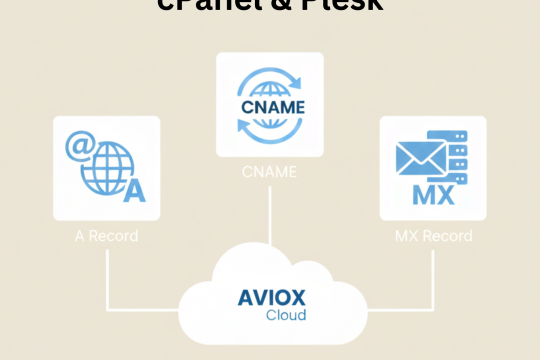
Using Nameservers in cPanel & Plesk: How to Properly Point Your Domain on AVIOX Cloud
Correctly configuring nameservers is one of the most important steps when launching a website on AVIOX Cloud. Whether you’re using cPanel or Plesk, proper DNS management ensures your domain resolves to the right server and your website loads globally without interruptions. This guide walks you through how nameservers work, how to point your domain to AVIOX Cloud, and how DNS propagation affects.
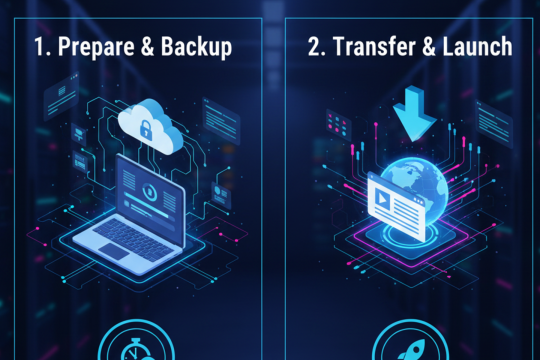
Complete Website Migration Guide: Move Your Site to AVIOX Cloud Step-by-Step
Easily migrate your website to AVIOX Cloud using this step-by-step guide. Learn how to transfer files, migrate databases, update DNS records, configure servers, and verify your site after migration. Smooth, secure, and downtime-free website transfer instructions for all skill levels.

Optimizing WordPress Performance on AVIOX Cloud VPS: Complete Speed & Tuning Guide
Boost your WordPress site’s speed with this AVIOX Cloud VPS optimization guide. Learn how to configure caching, tune PHP, optimize databases, enable CDN, improve server-level performance, reduce load times, and achieve faster page delivery for a smoother, high-performance WordPress experience.

WordPress Security Guide for AVIOX Cloud VPS: Protecting Your Website Step-by-Step
Secure your WordPress website on AVIOX Cloud with this detailed VPS security guide. Learn essential steps including firewall setup, malware protection, SSL, backups, user security, file permissions, server hardening, and performance-based defenses for maximum protection and uptime.

cPanel vs Plesk vs Webmin: Choosing the Best Hosting Control Panel for AVIOX Cloud
Choosing the right hosting control panel is essential for managing websites, servers, and applications efficiently on AVIOX Cloud. With so many platforms available, three options stand out as the most popular: cPanel, Plesk, and Webmin. Each one offers unique features, compatibility levels, and pricing structures that appeal to different types of users.

How to Install cPanel or Plesk on Your AVIOX Cloud VPS – Complete Setup Guide
Installing a control panel like cPanel or Plesk on your AVIOX Cloud VPS makes server management easier and more efficient. Whether you're hosting websites, managing email accounts, or overseeing DNS settings, these panels offer powerful interfaces that eliminate the need for manual command-line work.

How to Set Up FTP Access on Your AVIOX Cloud Server – Complete Step-by-Step Guide
Setting up FTP access on your AVIOX Cloud server is an essential step for managing files, uploading website content, and maintaining secure remote access. Whether you're deploying a new site or updating an existing web application, FTP provides a reliable and convenient method to transfer files between your device and your server.

Installing MySQL and Creating Databases on AVIOX Cloud – Complete Beginner to Advanced Guide
Setting up MySQL on your AVIOX Cloud server is essential for hosting websites, applications, CRMs, and content management systems like WordPress, Magento, or Laravel. This guide walks you through the complete process of installing MySQL, securing it, creating databases, adding users, granting permissions, and connecting applications to your database.