
Incremental vs Differential Backup: Which Method Offers Faster, Smarter Data Protection?
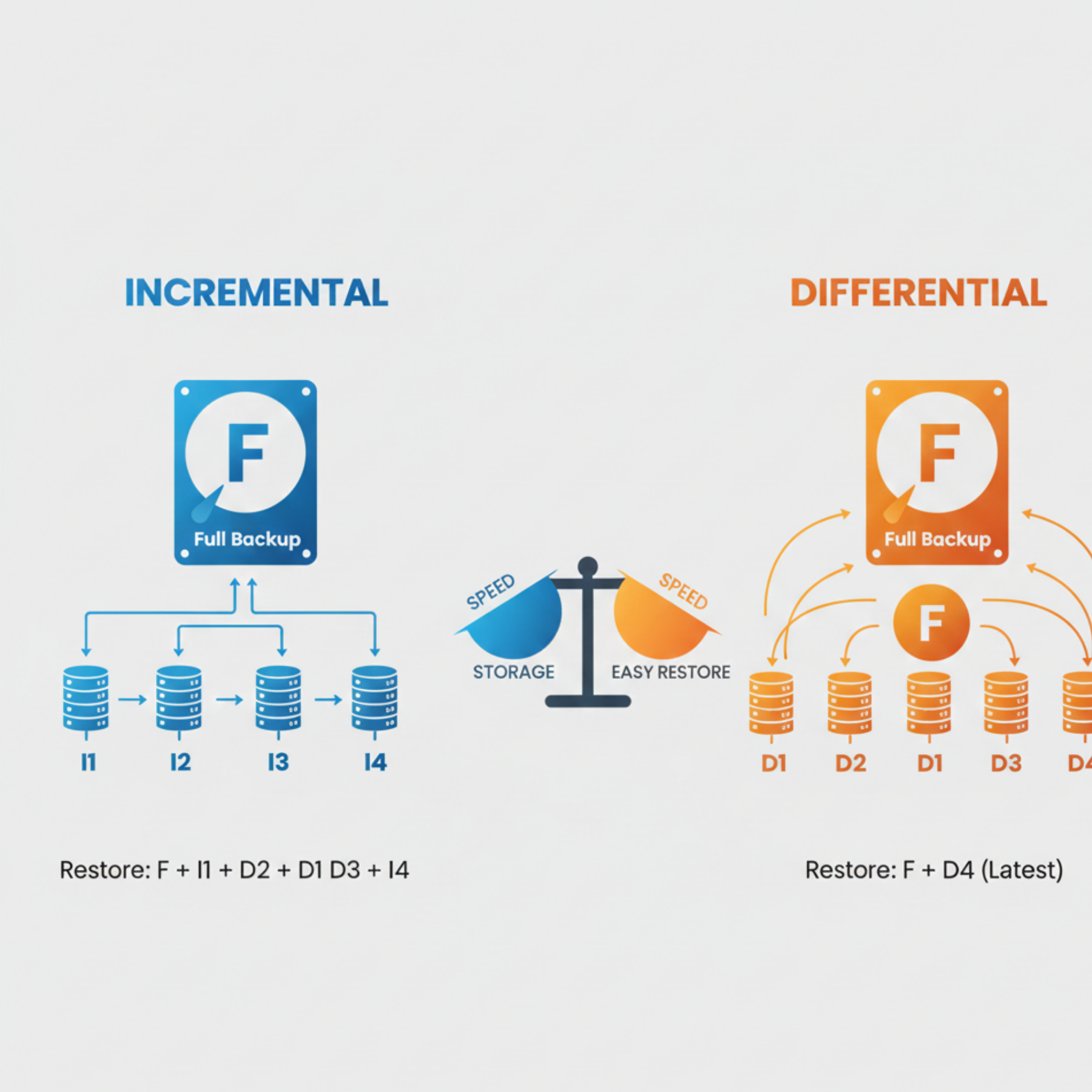
Data loss can strike anytime — due to system crashes, ransomware, human error, or hardware failure. That’s why every business needs a reliable backup strategy. Two powerful techniques used by IT professionals are incremental backups and differential backups. While they may sound similar, their behavior is very different when it comes to speed, storage, and restoration.
In this guide, we break down exactly how each method works and help you understand which one is better for your organization.
What Is an Incremental Backup?
An incremental backup is a backup that captures only the data that changed since the last backup — whether that previous backup was full or incremental.
Advantages
Very small backup size
Fastest backup speed
Efficient use of storage
Ideal for frequent (even hourly) backups
Disadvantages
Slower restoration
Requires multiple backup sets
If one incremental file is corrupted, recovery may fail
Incremental backups create a “chain” of backups that must be restored in order.
What Is a Differential Backup?
A differential backup copies all data that has changed since the last full backup — not since the last differential.
Advantages
Faster restore time
Only two sets needed for recovery
More reliable than long incremental chains
Disadvantages
Larger backup size over time
Slower than incremental backups
Requires more storage every day
Differential backups grow larger the longer you wait to do another full backup.
Key Differences Between Incremental & Differential Backups
1. Backup Speed
Incremental: Fastest
Differential: Slower, grows larger daily
2. Storage Usage
Incremental: Least storage
Differential: More storage (increases every day)
3. Restoration Time
Incremental: Requires full + all incremental backups
Differential: Requires full + latest differential only
4. Risk Level
Incremental: Higher risk (long chain)
Differential: Lower risk (only 2 sets needed)
Which One Should You Choose?
Choose Incremental Backups When:
You need frequent backups
You want minimal storage use
Your data changes rapidly
Backup windows are short
Choose Differential Backups When:
You want fast recovery
You want fewer backup files to manage
You prefer more reliable restoration
Best Practice: Combine Full, Incremental, and Differential
A common strategy many companies use:
Weekly full backup
Daily incremental or differential backups
This hybrid approach offers a perfect balance of speed, storage efficiency, and recovery reliability.
Final Thoughts
Incremental and differential backups may seem similar, but their differences significantly impact storage, speed, and recovery time. Incremental backups are lightweight and ideal for frequent updates, while differential backups provide faster restores with fewer backup files.
Understanding these methods helps you choose the right strategy for your business — ensuring your data is always protected, accessible, and recoverable without downtime.
Leave a comment
Your email address will not be published. Required fields are marked *